



School Party Craft
AkmaljonKom
Category
Game
Installs
10M+
Rating
Everyone
Updated
Jul 20, 2026
Category
Game
Developer
AkmaljonKom
Installs
10M+
Rating
Updated
Jul 20, 2026
Privacy Policy
View Policy
Gallery
4 shots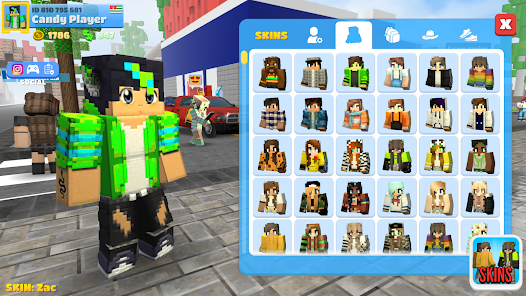
Game Overview
Voxel-Style Campus Simulator
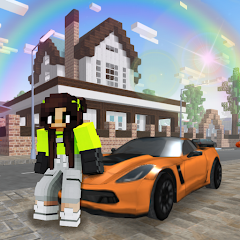
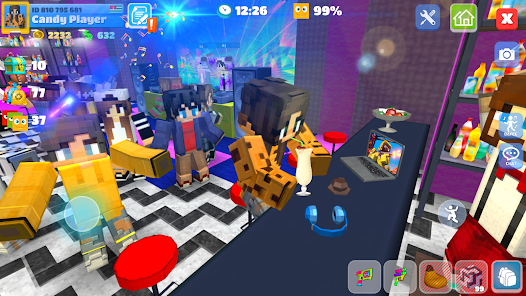
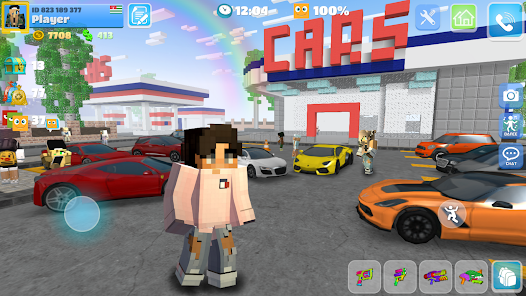
Enter a vibrant sandbox realm where high school turns into a massive interactive world 🎒✨. Construct student housing, classrooms, coffee shops, and secret clubrooms using pixelated blocks, then welcome friends to explore, role-play, and hang out together.
Boundless Customization Possibilities
Fashion your own distinct character using an array of skins, garments, and style accessories 😎. Blend school attire with party or streetwear, customize your private living quarters, and build custom layouts that showcase your imagination.
Interactive Social Environment
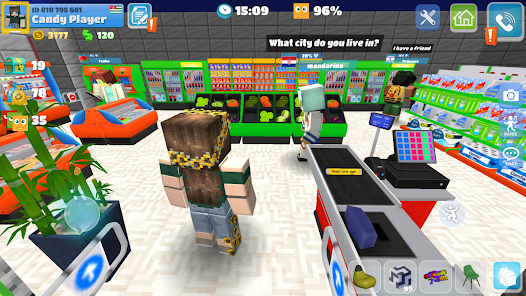
Message other players, perform dances, and organize social gatherings across parks, recreational centers, and rooftop lounges 🎉. Meet new people online, participate in collaborative activities, and turn everyday school life into an ongoing party.
Chill Creative Mode
Enjoy a stress-free environment free from strict timelines or pressure 🧱. Construct structures at your own pace, try out architectural designs, roam the open map, and experience a relaxing combination of construction and social roleplay.
How It Works
1. Navigate the School Grounds. Direct your character using the virtual movement stick on your screen. Drag your finger across the display to adjust your 3D view. Visit different buildings, dorms, and avenues to memorize the city layout.
2. Interact with the World. Tap contextual prompts or buttons when near entryways, seats, or items to activate them. Test out diverse locations like park benches, beds, and diner counters to trigger unique character animations.
3. Build and Customize Architecture. Access the construction menu, select a building block or furniture asset, and tap the grid location where you want to place it 🧱. Rotate or slide the object to align it perfectly before confirming its final placement.
4. Tailor Your Hero and Rooms. Head to the dressing room or user profile area to swap out skins, clothes, and decorative items. Utilize interior design mechanics to place beds, lighting, posters, and festive props to craft a comfortable home space.
5. Chat and Build a Friend List. Tap the communication bubble to send text messages, icons, and quick expressions 💬. Send friend requests to active players, join their server locations, and invite them over for roleplay scenarios.
6. Attend Gatherings and Festivities. Locate event zones highlighted on the map or accept direct invites sent by other players. Join dance floors, take photos with friends, try out mini-games, and uncover hidden areas as you unlock new items.